Minecraft Shelf Mushroom Guide: How to Find, Grow, Bounce & Use It
Shelf
By GamerCubic Editorial Team
Edited by: GamerCubic Team
Last checked: September 21, 2026
Version checked: Minecraft Java Edition 26.3 and Bedrock Edition 26.50 stable releases
Minecraft Shelf Mushrooms are one of the most useful small features in the stable 26.3 Wilderness Bound release. They are decorative and functional mushrooms that generate on Poplar Trees and fallen Poplar Trees, and players can also grow, collect, and use them in practical ways. If you are searching for where to find Shelf Mushrooms, how to grow them, or what they do, the short answer is simple: they generate naturally in the new Dappled Forest content and can be expanded with Bone Meal.
Quick Takeaway: Shelf Mushrooms generate on Poplar Trees and fallen Poplar Trees, can grow from small to large with Bone Meal, can be used in stews, and even have a slight bounce effect when stepped on. ✅

Quick Answer
A Shelf Mushroom is a decorative and functional block released in Minecraft Java Edition 26.3 and Bedrock Edition 26.50. It naturally appears on Poplar Trees and fallen Poplar Trees, comes in small and large forms, can be grown with Bone Meal, can be used like other mushrooms in stews, and has slight bounciness similar to a bed.
| Feature | Shelf Mushroom |
|---|---|
| Version checked | Java 26.3 / Bedrock 26.50 stable |
| Natural location | Poplar Trees and fallen Poplar Trees |
| Size variants | Small and large |
| Can be grown? | Yes, with Bone Meal |
| Main uses | Decoration, stews, collection |
| Extra mechanic | Slight bounce effect |
What Is a Shelf Mushroom?
A Shelf Mushroom is a new mushroom-style block released with Minecraft’s 26.3 Wilderness Bound drop. Unlike classic red and brown mushrooms that usually grow on the ground, Shelf Mushrooms are designed to appear attached to wood, especially on Poplar Trees and fallen Poplar logs. That gives them a much more natural woodland look and makes them stand out from older mushrooms in the game.
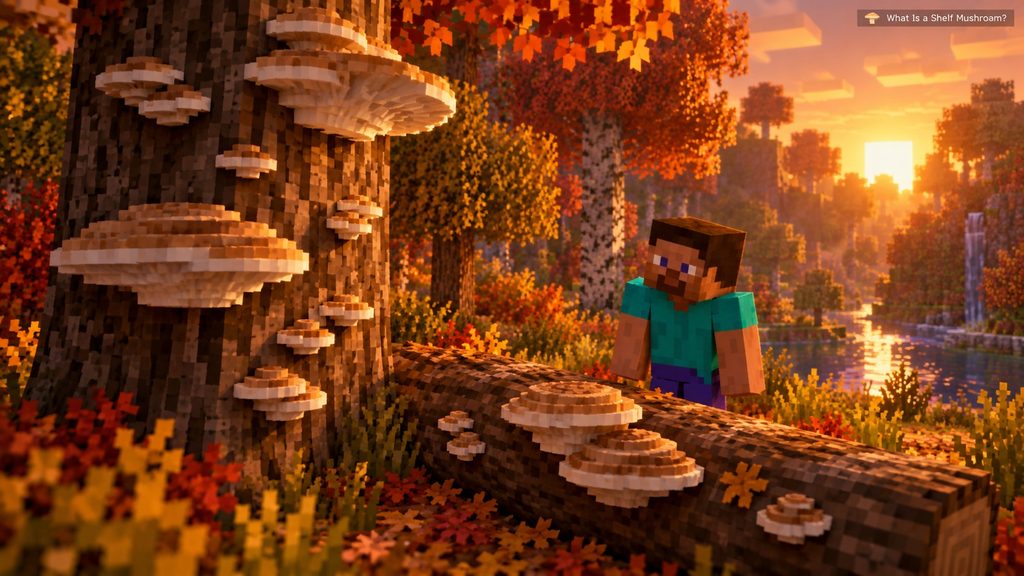
They appear in two forms:
- Small Shelf Mushroom
- Large Shelf Mushroom
The large form is more visually dramatic and is useful for decoration-heavy builds. Shelf Mushrooms fit especially well in forest cabins, nature-themed bases, fantasy camps, abandoned builds, and scenic autumn-style environments.
This feature is important because it adds both atmosphere and a small gameplay mechanic. Shelf Mushrooms are not just pretty blocks. They can also be collected, grown, used in food recipes, and interacted with physically through their bounce behavior.
Where to Find Shelf Mushrooms in Minecraft
To find Shelf Mushrooms in Minecraft, you should look for Poplar Trees and fallen Poplar Trees. Both grow naturally in the Dappled Forest introduced in the stable Wilderness Bound release.
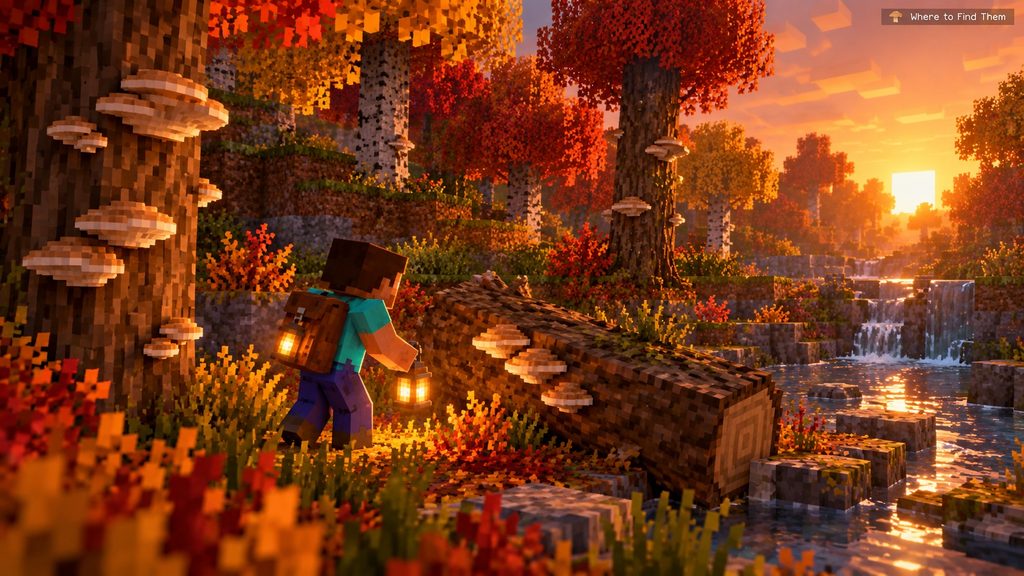
The best way to find them is:
- Explore areas where the Dappled Forest biome generates.
- Search for Poplar Trees with red, orange, or yellow leaves.
- Check both standing trunks and fallen Poplar logs.
- Look along the sides of the logs for pale, layered mushroom shelves.
Shelf Mushrooms are part of the natural detail of this biome, so they are most reliable when you search newly generated areas in newly generated chunks on Java 26.3 or Bedrock 26.50.
You may also be able to obtain them through Wandering Trader trades, which gives players another option if they do not want to rely only on exploration.
If you are exploring manually, carrying a boat, food, and a few torches helps because the biome can stretch across scenic forested terrain and river areas.
How to Grow Shelf Mushrooms With Bone Meal
Shelf Mushrooms can grow from their small form into a large form using Bone Meal. This is one of their most useful mechanics because it lets players expand their decorative builds without needing to keep searching for naturally generated large ones.

Here is how to do it:
- Find or place a small Shelf Mushroom.
- Hold Bone Meal in your hand.
- Use the Bone Meal on the small Shelf Mushroom.
- If the space and conditions work correctly, it will grow into a large Shelf Mushroom.
This is useful because a large Shelf Mushroom drops two Shelf Mushroom items when broken, making it more rewarding to harvest.
Growing them is especially helpful for builders who want a specific look for cabins, treehouses, or mushroom-themed scenery. Instead of waiting to discover the perfect size in the wild, you can scale them up yourself.
If the growth does not happen, confirm that your edition includes Wilderness Bound and that the mushroom has room to grow.
Shelf Mushroom Uses in Minecraft
Shelf Mushrooms are not just decorative blocks. They also have practical uses.
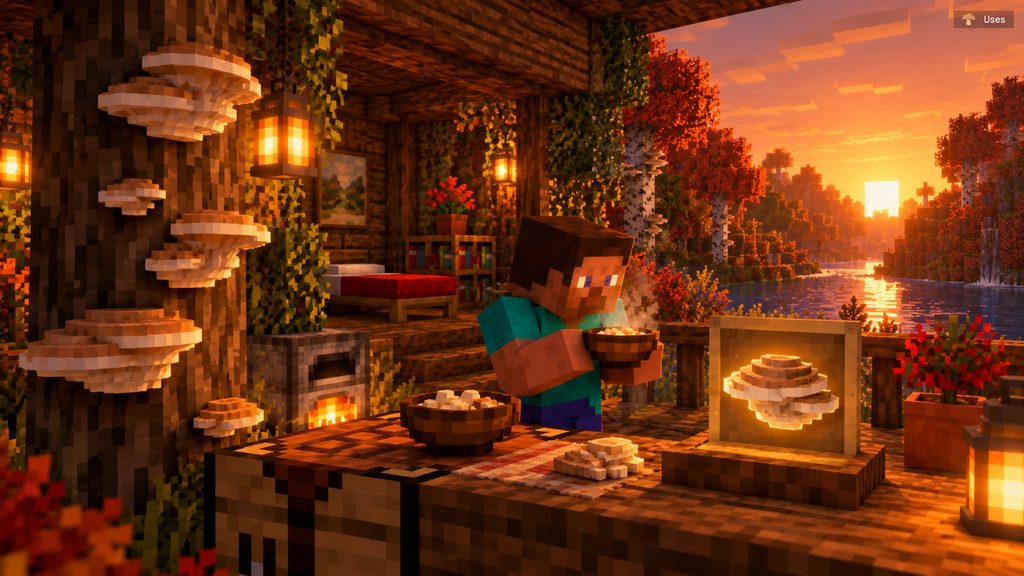
The main uses currently are:
- Decoration for cabins, woodland builds, camps, bridges, and scenic forests
- Food crafting, because they can be used like other mushrooms in stews
- Collection and farming, since players can grow small mushrooms into large ones
- Atmosphere, especially in Dappled Forest and Poplar-themed builds
Mojang’s final Java 26.3 release notes confirm they can be used like other mushrooms to make Stews. That means they are part of the game’s food utility rather than being a purely visual feature.
Shelf Mushrooms are also ideal for aesthetic building. Their layered shape gives much more visual depth than a regular mushroom block. If you want to create an autumn cottage, riverside retreat, or forest survival base, they help the build look richer and more natural.
They are one of the few new blocks that feel useful both for survival players and builders.
Do Shelf Mushrooms Bounce?
Yes — Shelf Mushrooms have a slight bounce effect when stepped on. Mojang describes this as being similar to beds. They also play a bouncing sound when a living entity bounces on them.

This does not mean they work like slime blocks. The bounce is much lighter and more subtle. Think of it as a small interaction detail rather than a major movement mechanic.
This feature matters for two reasons:
- It makes Shelf Mushrooms feel more alive and unique
- It gives builders a fun interactive block for nature-themed obstacle courses, adventure builds, or decorative parkour sections
In normal survival gameplay, the bounce is more of a novelty than a major transport mechanic. Still, it helps the block feel distinct from ordinary decorative mushrooms.
If you want to test it yourself, place one in a safe open area and simply step or hop onto it. The effect is most noticeable when you are specifically watching for it.
Why Are Shelf Mushrooms Not Appearing?
If Shelf Mushrooms are not appearing in your world, the most common reason is version mismatch. They require the Wilderness Bound content in Java 26.3 or Bedrock 26.50, and they will not appear in chunks generated before the Dappled Forest content existed.

Common causes include:
- Your game is older than Java 26.3 or Bedrock 26.50
- You are exploring old chunks that generated before the feature existed
- You are searching in the wrong biome
- You have not found Poplar Trees or fallen Poplar Trees
- You are checking old terrain instead of newly generated Dappled Forest chunks
To fix the problem:
- Confirm you are on Java 26.3 or Bedrock 26.50
- Travel into newly generated chunks
- Search near Dappled Forest biome areas
- Look specifically on tree trunks and fallen logs
- Try getting one from a Wandering Trader
If an older guide still calls Shelf Mushrooms experimental, check its publication date: the feature is now part of the stable Wilderness Bound release.
Shelf Mushroom Decision Guide
| Your goal | Best action | Why it works |
|---|---|---|
| Find your first mushroom | Search Poplar trunks and fallen Poplar logs in a Dappled Forest | This is the natural generation location confirmed for Java 26.3 |
| Increase your supply | Use Bone Meal on a small Shelf Mushroom, then harvest the large form | A large mushroom drops two items |
| Get one without finding the biome | Check Wandering Trader offers | The trader can offer Shelf Mushrooms, although stock rotates |
| Use it in a build | Place it on trunks, walls or natural-looking supports | Its layered profile adds depth to woodland builds |
| Use the bounce effect | Test it in a safe, low-risk area | The bounce is slight like a bed, not a slime-block launch |
Continue Through the Dappled Forest Cluster
Start with our Dappled Forest seed guide, then learn how to grow Poplar Trees and multiply Red Shrubs. For more material guides, visit the Minecraft Blocks & Items hub.
Official 26.3 Sources
- Minecraft Java Edition 26.3 release notes — stable Shelf Mushroom generation, growth, drops, stew use, trader availability and bounce behavior.
- Minecraft Bedrock Edition 26.50 changelog — stable Wilderness Bound release reference for Bedrock.
Frequently Asked Questions
What is a Shelf Mushroom in Minecraft?
A Shelf Mushroom is a new mushroom-type block released in Minecraft Java 26.3. It generates on Poplar Trees and fallen Poplar Trees and can also be grown, harvested, and used in stews.
Where do Shelf Mushrooms spawn?
Shelf Mushrooms spawn on Poplar Trees and fallen Poplar Trees. These are associated with the new Dappled Forest content introduced in the 26.3 update cycle.
Can you grow Shelf Mushrooms?
Yes. A small Shelf Mushroom can be grown into a large Shelf Mushroom using Bone Meal.
What do large Shelf Mushrooms drop?
A large Shelf Mushroom drops two Shelf Mushroom items when broken, making it more useful for farming and decoration.
Do Shelf Mushrooms have a real use?
Yes. They can be used like other mushrooms in Stews, and they also have a slight bounce effect when stepped on.
Final Recommendation
Shelf Mushrooms are one of the best small features in Minecraft’s stable 26.3 release because they combine style, utility, and interactivity. If you want them, search for Poplar Trees and fallen Poplar Trees, use Bone Meal to grow small ones into large ones, and keep a few for both building and stew crafting. For players who enjoy scenic survival builds, Shelf Mushrooms are one of the easiest ways to make a forest base feel richer and more alive.
Continue Exploring
How to Make an Automatic Jukebox in Minecraft 26.4 (Music Disc Playlists)
Build a two-block automatic Jukebox Playlist, control Music Disc order, skip tracks and troubleshoot Java Snapshot or Bedrock Preview setups.

Minecraft Cushion Guide: How to Sit, Craft Cushions & Fix Placement Problems
Discover yourShelfBy GamerCubic Editorial Team Edited by: GamerCubic Team Last checked: September 21, 2026 Version checked: Minecraft Java Edition 26.3 / Bedrock Edition 26.50...

Minecraft Straw Bed: Recipe, Uses and Why It Does Not Set Your Spawn
Discover yourShelfBy GamerCubic Editorial TeamLast checked: September 21, 2026Version checked: Minecraft Java Edition 26.3 / Bedrock Edition 26.50 — Wilderness Bound Quick answer: A...